Uploads. Share your wallpapers with the community
Wallper's Upload page lets everyone contribute looping videos to the community library. This guide covers uploading, file requirements, the moderation process, and how to use declined items locally via My Media → Add Video.
Quick start (TL;DR)
- Click Share/Upload in the top bar of the application.
- In the upload portal, drag & drop your files or click to select.
- Fill in the metadata: Author Name, Title, and relevant Tags.
- Click Submit and wait for the upload to complete.
- If a video is declined or for personal use only, you can add it locally via My Media → Add Video inside the app.
Step 1: Access the Upload Portal
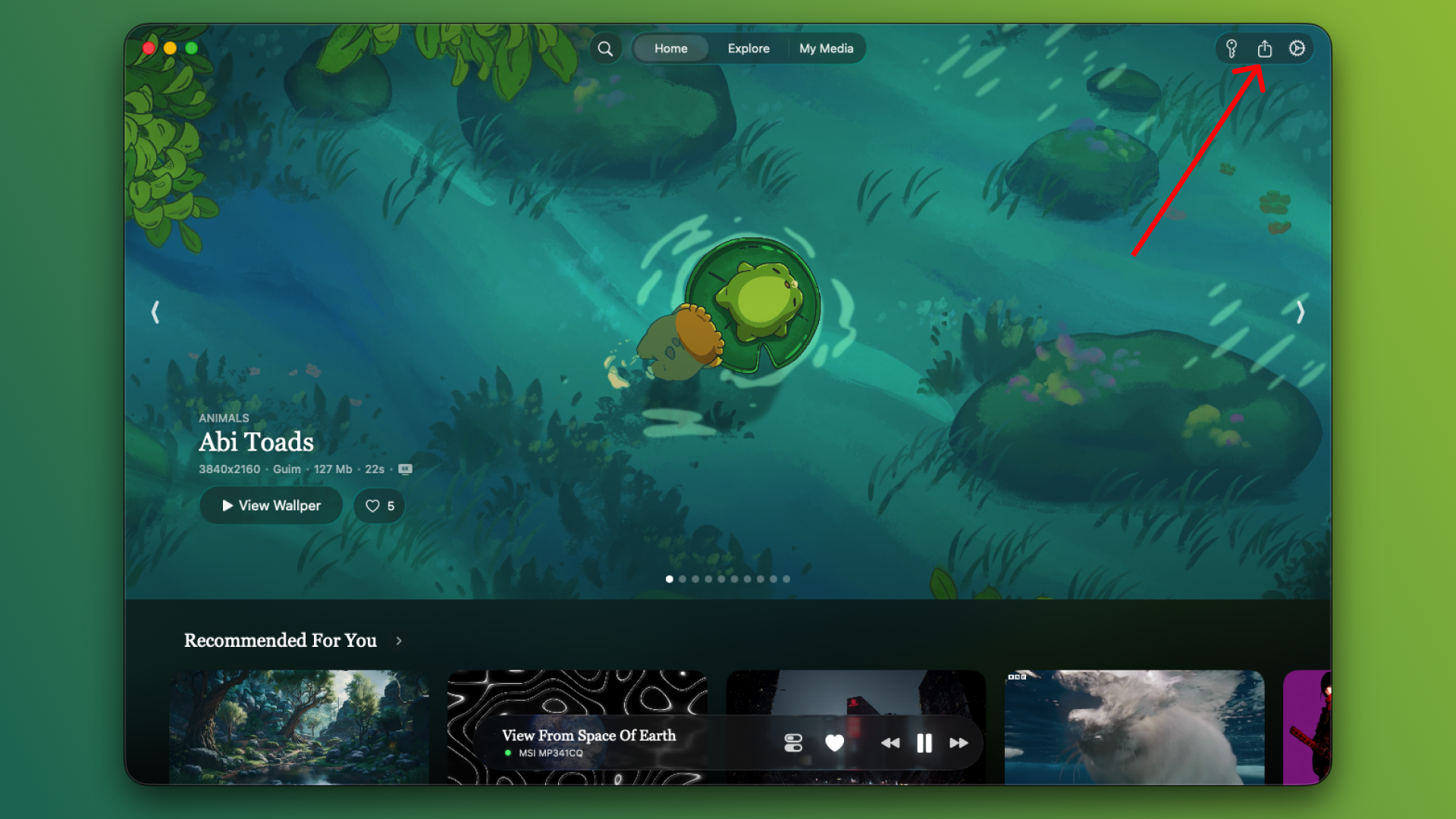
In the main application menu, locate and click the Share button (rectangle with an arrow). This secure action will redirect you to your browser to begin the upload process.
Step 2: Select Your Masterpieces
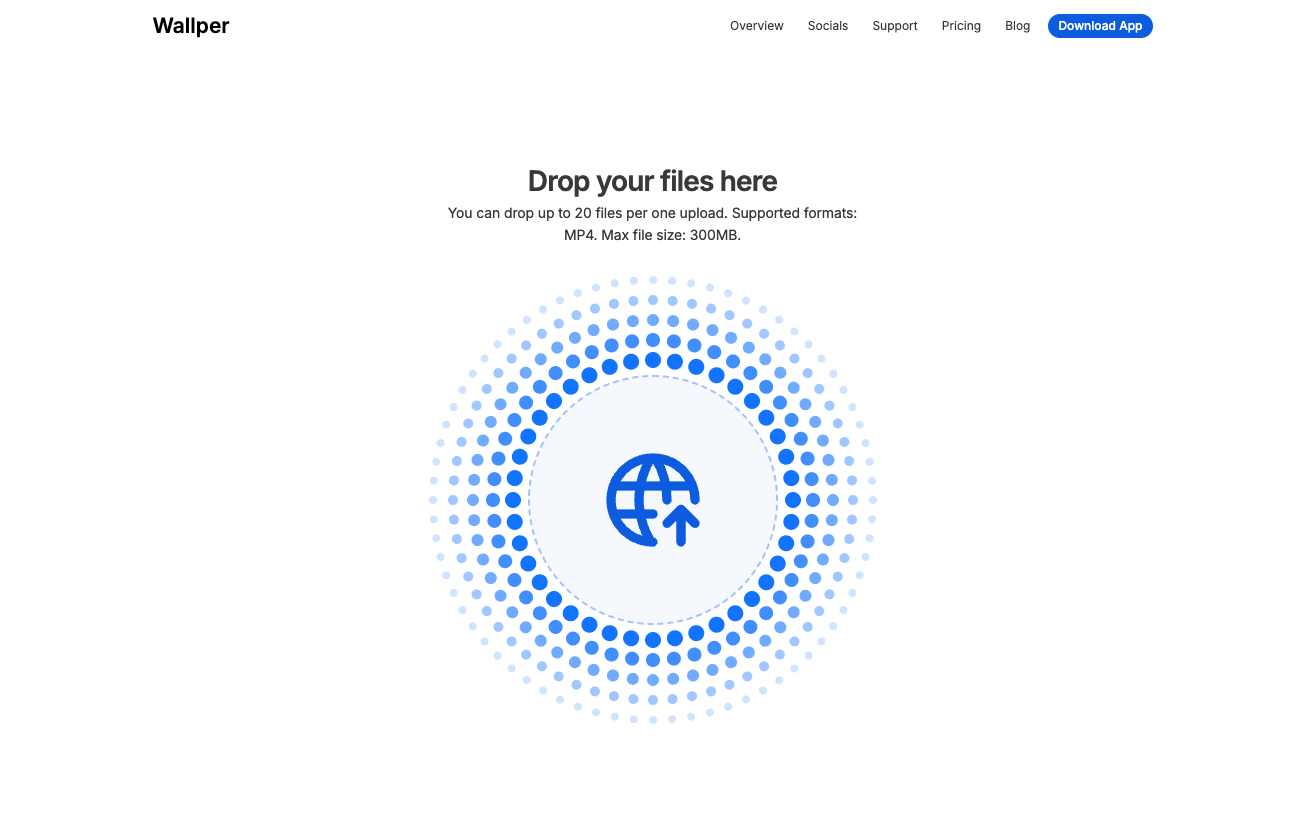
You can upload between 1 and 20 MP4 files at once. Simply drag and drop your files into the upload area.
Note: If you only wish to add wallpapers for your own private use, please use the My Media → Add Video feature directly inside the app instead.
Step 3: Artist Identity
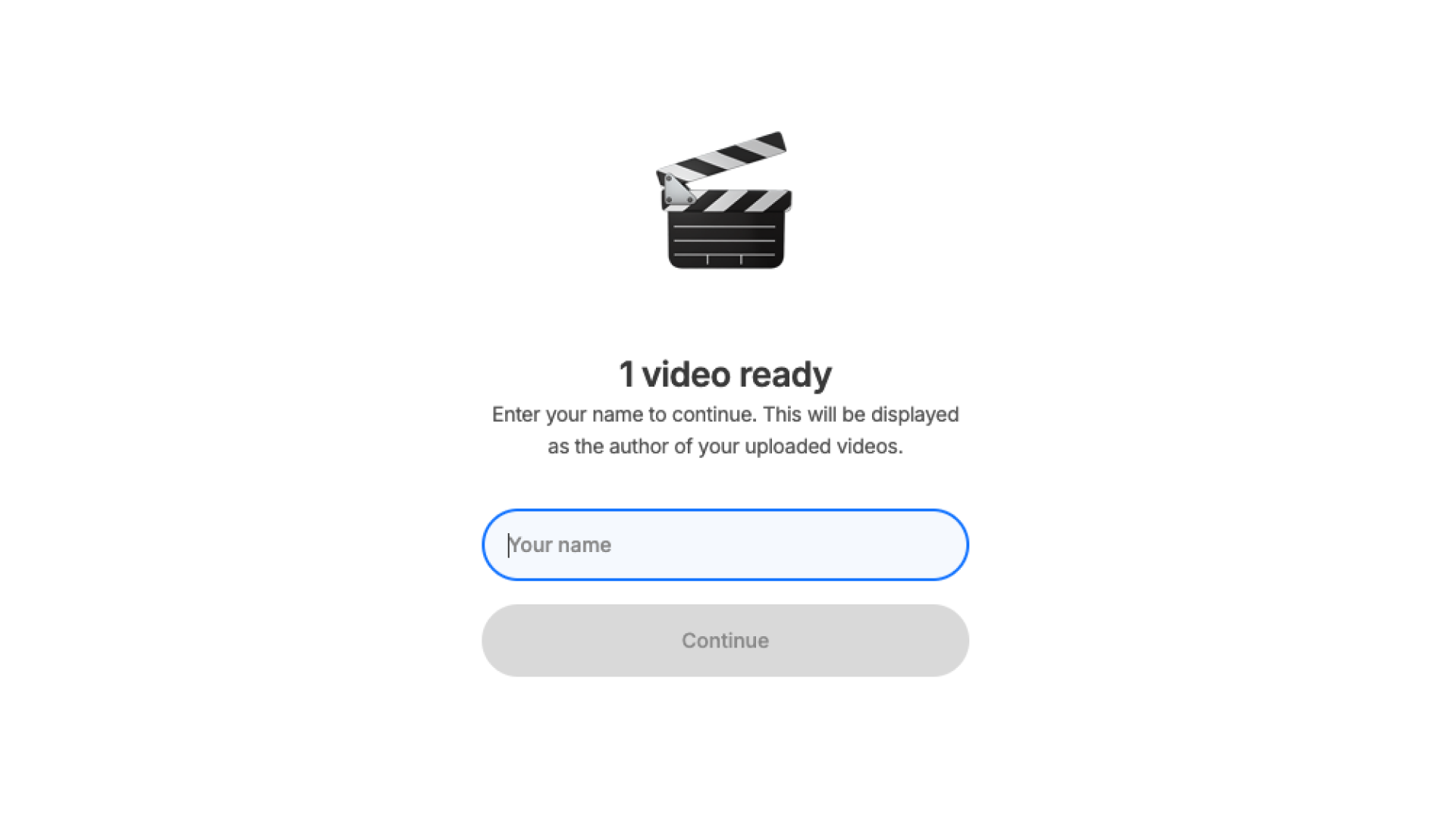
Enter your Author Name. This name will be displayed alongside your wallpapers in the app, giving you credit for your work.
Step 4: Details & Discoverability
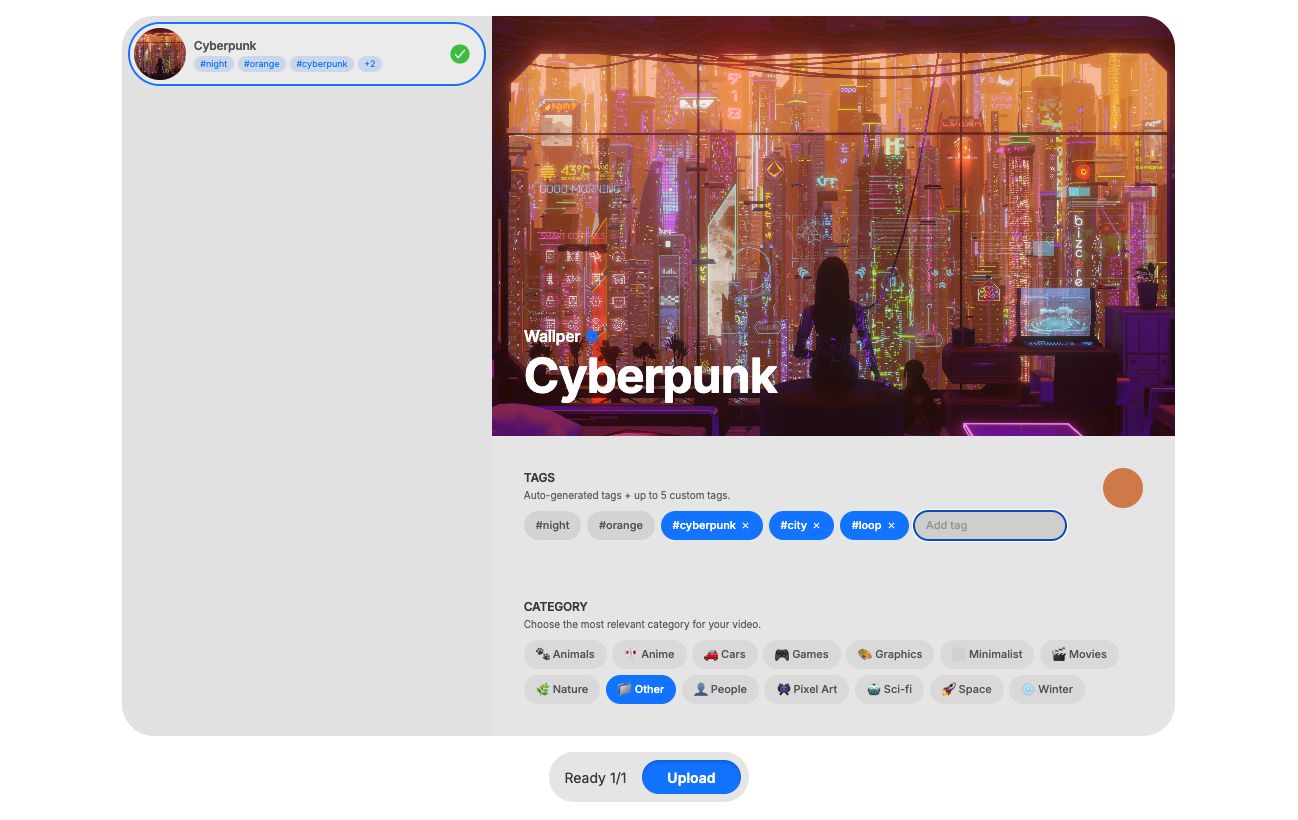
Give your video a clear Title and add relevant Tags to help users find it. Our system automatically detects and adds color tags for you!
Once you're happy with the details, click Submit and wait for the upload to complete.
Step 5: Success & Moderation
Congratulations! Your wallpapers have been successfully uploaded to the library.
Our moderation team will manually review your submission to ensure high quality standards. Once approved, your wallpapers will appear in the app for everyone to enjoy.
File requirements (must-read)
- Format: MP4 only
- Max size: ≤ 500 MB per file
- Best results: H.264 or HEVC, 24–60 fps, seamless loop if possible
- Audio: Ignored (wallpapers are always muted)
If your file isn't MP4 or exceeds 500 MB, compress or re-encode before uploading.
Who can upload
- Everyone is welcome. You can upload wallpapers whether you are on a Free Trial or have an active license.
- Unlimited uploads. There are no limits to the number of wallpapers you can share with the community.
- Local use. To add wallpapers privately for your own use, please go to My Media → Add Video.
What happens after you upload
Moderation workflow
When you submit, your video enters a Pending review by the Wallper team. We check:
- Content suitability — No nudity/sexual content, graphic violence or hate symbols, illegal/dangerous activities, harassment or doxing.
- Uniqueness — We check to ensure the video isn't already in the library. While duplicates can happen, we try to keep the collection fresh and unique.
- Quality & Resolution — We verify the resolution and overall visual quality to ensure a premium experience. Clean loops and high-definition clarity are prioritized.
- Copyright & ownership — You must own the rights or have permission. No re-uploads without explicit permission.
If approved
- Your video appears in the Community Library.
- It starts collecting likes, visible in your submissions panel.
If declined
- You can still use it locally via My Media → Add Video.
- Fix issues (size/format/loop/content) and re-submit anytime.
Likes & visibility
- Approved videos can receive likes from the community.
- Videos can be sorted by likes in the Explore folder, allowing users to discover the most loved content in the community.
Common reasons for declines (and fixes)
- Wrong format / oversize → Re-export to MP4, compress to ≤ 500 MB.
- Choppy or jarring loop → Align start/end or cross-fade slightly.
- Heavy artifacts / banding → Increase bitrate or apply light denoise before export.
- Sensitive / NSFW content → Remove or rate appropriately; some content isn't eligible for public listing.
Privacy, ownership, and takedowns
- You retain ownership. By uploading, you grant Wallper the right to display/distribute the video within the app's Community Library.
- DMCA & policy. Items may be removed after approval if we receive a copyright complaint or detect a policy violation.
- Removal requests. You can request removal of your own item; changes may take effect after a short delay.
Tips for fast approval & better results
- Double-check for duplicates. Before uploading, please browse the library to ensure the same video hasn't been shared already. We love fresh, unique content!
- Use descriptive tags. Add tags that accurately describe the mood, colors, and subject. This makes it much easier for other users to discover your work.
- Name it beautifully. Craft a title that is clear, professional, and easy to search. Avoid generic names — aim for something that captures the essence of the video.
- Keep it subtle. Calm, ambient motion works best for wallpapers.
- Loop cleanly. Align start/end frames or add a gentle cross-fade.
- Balance bitrate & size. Aim for crisp detail without exceeding 500 MB.
- Avoid overlays. No watermarks, ads, or captions.
- Stay SFW. When unsure, pick a higher age rating or edit borderline content.